Meet TikMatrix Finder — Free TikTok & Instagram Lookup, Now With Keyword Search

A while back we put up a one-box TikTok profile lookup. It got shared far more than we expected — and then the feature requests started.
The honest problem with it: it answered exactly one question. finder.tikmatrix.com answers nine — including the one everybody kept emailing us about: "how do I find creators when I don't know their handle?"
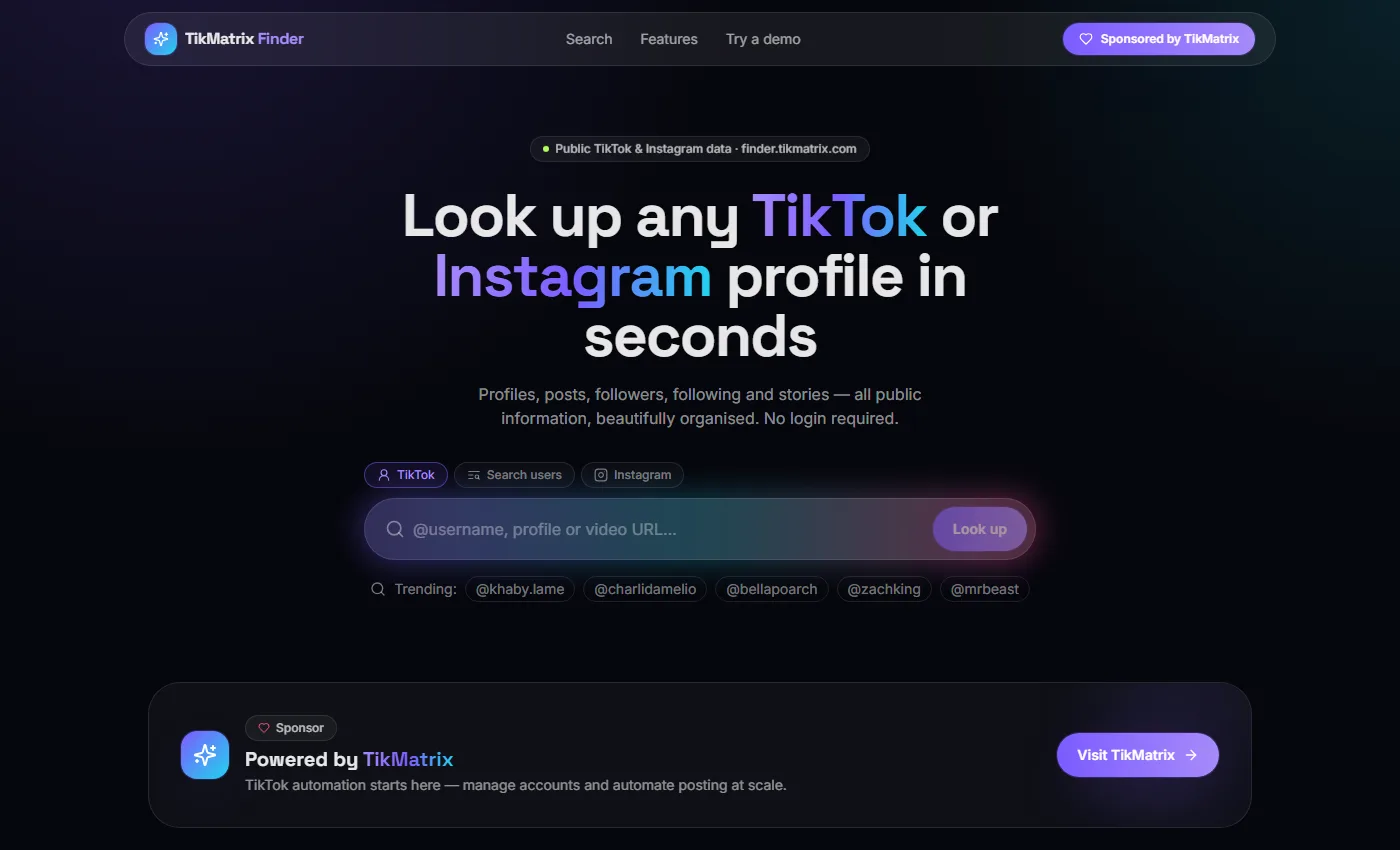
Why we built a second tool instead of patching the first
user.tikmatrix.com does one thing well: you type a handle, you get followers, likes, IDs and a country guess. For a long time that was enough.
Then the support inbox started repeating itself. People wanted the video list, not just the count. They wanted to know who follows an account before paying for a shoutout. They ran Instagram alongside TikTok and were tired of two tabs. And more than anything, they wanted to search by topic — "find me fitness coaches" — because most of the time you don't already know the username. That's the whole reason you're searching.
Bolting all of that onto the old page would have produced a mess. So Finder is a clean rebuild, and it's still free, still no sign-up.
What you actually get
| user.tikmatrix.com | finder.tikmatrix.com | |
|---|---|---|
| Profile stats (followers, likes, IDs, region) | ✅ | ✅ |
| Video feed with per-post plays/likes/comments | — | ✅ |
| Single video breakdown (sound, hashtags, shares, saves) | — | ✅ |
| Followers list | — | ✅ |
| Following list | — | ✅ |
| Stories (24h) | — | ✅ |
| Comments on a video | — | ✅ |
| Creator search by keyword | — | ✅ |
| Instagram profiles, posts & reels | — | ✅ |
1. The profile card, expanded
Paste @khaby.lame, a profile URL, or even a video URL — Finder works out which one you gave it.
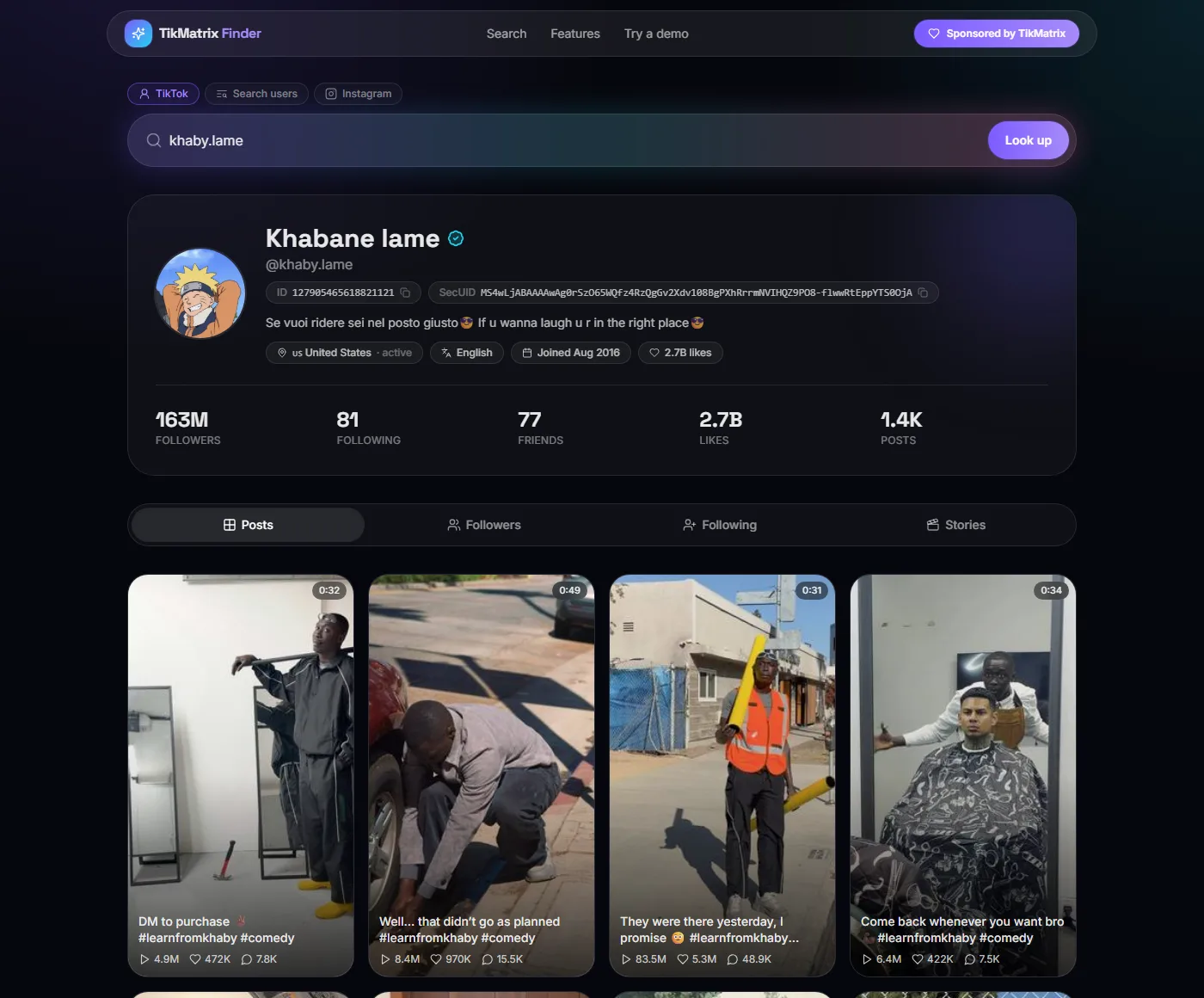
Everything the old tool showed is still here — UserID and SecUID with copy buttons, region, primary language, account creation date — plus the numbers that actually matter when you're sizing up an account: 163M followers against 2.7B lifetime likes across 1.4K posts. That ratio tells you more in two seconds than a follower count ever will.
Underneath, four tabs: Posts, Followers, Following, Stories. The post grid is the part people notice first. Every thumbnail carries its own play count, like count and comment count, so you can spot the outlier immediately — in the grid above, one video pulled 83.5M plays while its neighbours sat between 4M and 8M. That's the video worth studying.
2. Open any video
Click a thumbnail and you get the full breakdown.
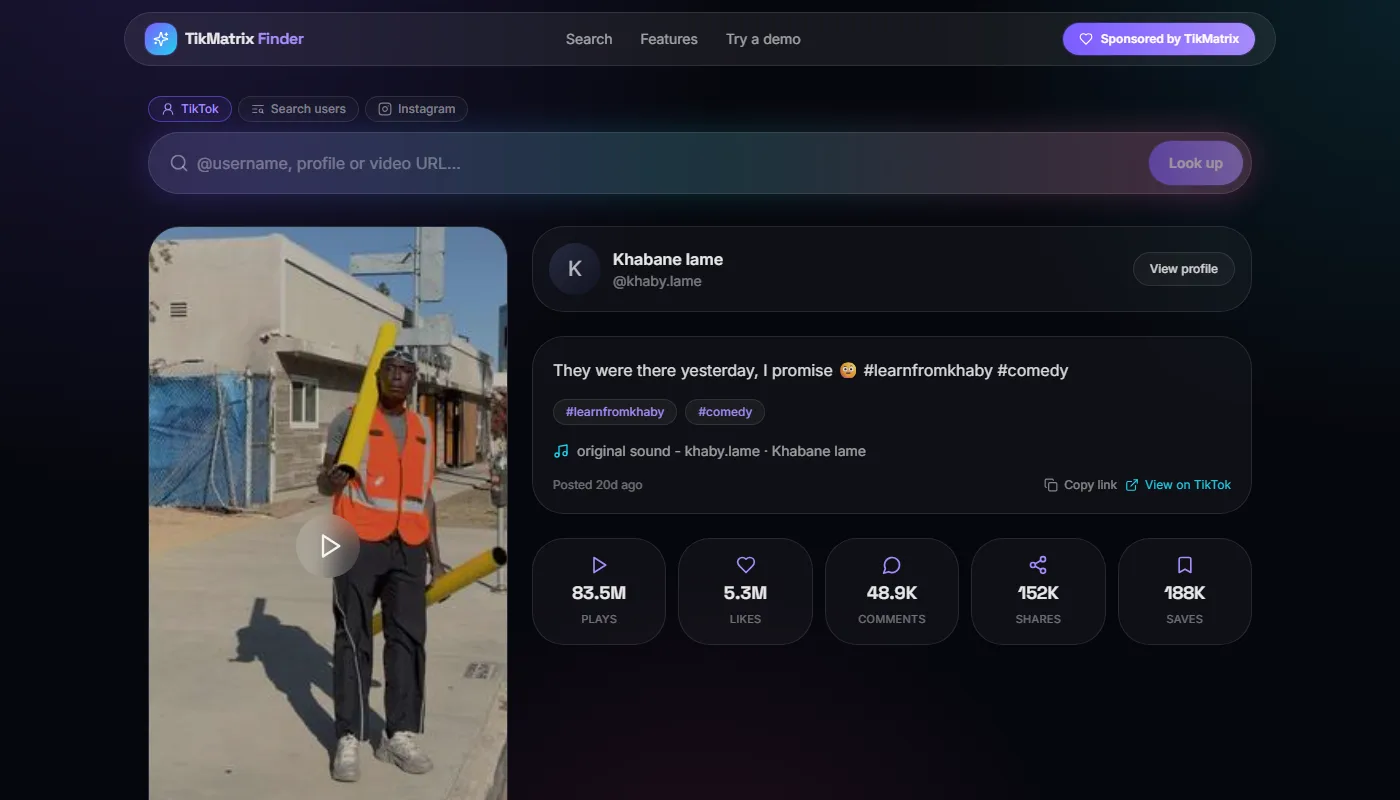
Caption, hashtags as separate chips, the sound it used, and the five numbers TikTok's own UI hides from you: plays, likes, comments, shares and saves. Saves are the interesting one. A video with a high save-to-play ratio is content people want to come back to, and that's a very different signal from a video that just got pushed hard on the For You page.
3. Search by keyword, not by handle
This is the feature that justified the rebuild.
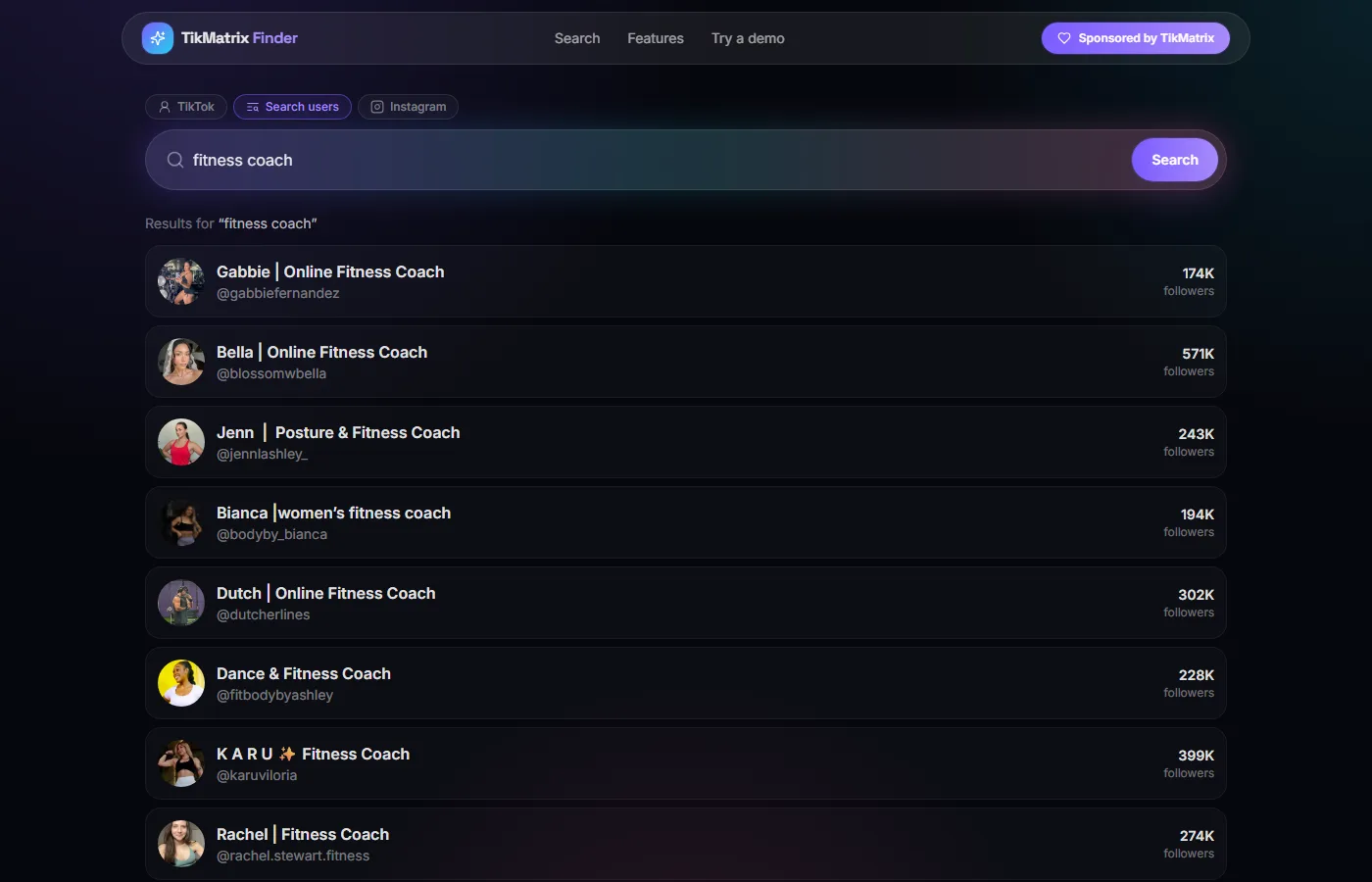
Switch to Search users, type a topic — fitness coach, pet supplies, korean skincare — and you get real accounts with follower counts attached, ranked and scannable. No login wall, no "upgrade to see results".
For anyone building a shortlist of creators to approach, this replaces about twenty minutes of scrolling TikTok's own search on a phone.
4. Instagram, same box
Flip the tab to Instagram and the same rules apply: handle in, profile out.
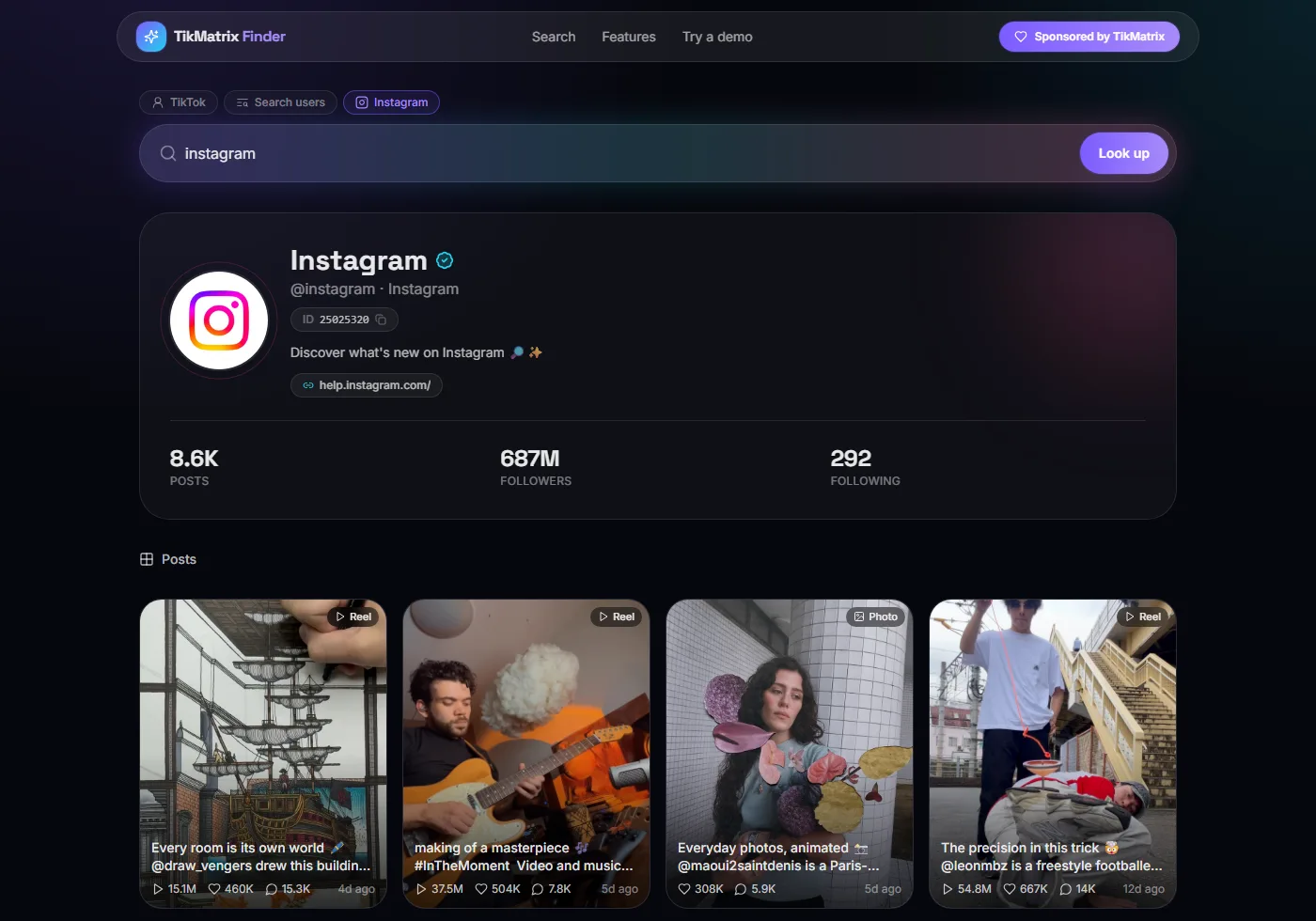
Bio, external link, post count, followers, following, and the recent grid with Reels and Photos labelled separately — each with its own view, like and comment counts and how long ago it went up. If you run accounts on both platforms, you no longer need a second tool for the second platform.
Three ways people are actually using it
Vetting a creator before you pay them. Pull the profile, look at the ratio of likes to followers, then open the Followers tab and skim. If half the list is zero-follower accounts with default avatars, you've just saved yourself a payment.
Reverse-engineering a competitor. Open their post grid, sort by eye for the spikes, click into the top three and note the sound, hashtags and save count. You'll usually find the pattern inside ten minutes.
Building an outreach list. Keyword search, collect handles, check each one's numbers. Finder is read-only, so this stays firmly in the research half of your workflow — the posting and account management side is what TikMatrix itself is for.
The fine print, honestly
- Public data only. If an account is private, there is nothing to show, and that's by design.
- Country is inferred, not declared. It comes from public signals and is a strong hint, not proof of residency. Treat it accordingly.
- There's a per-minute rate limit. Hammer it and you'll see "Slow down a moment". It refills on its own — no refresh needed, no account to create. That limit is what keeps the tool free.
- Not affiliated with TikTok or ByteDance. Finder reads public information the same way your browser does.
- Respect the creators. Public doesn't mean unrestricted. Use what you find in line with platform rules and local law.
Try it
👉 Free, no login: https://finder.tikmatrix.com/
👉 The original lookup is still up: https://user.tikmatrix.com/
👉 Automating TikTok on real Android phones: https://www.tikmatrix.com
The old tool got built because enough people asked for it in the same week. Finder got built the same way. If there's a query you keep wishing existed, tell us — that's genuinely how the roadmap gets written.