소프트웨어 시작 오류
일반적인 소프트웨어 시작 오류 문제 해결 단계
단계 1: 시스템 요구 사항 확인
- 시스템이 최소 요구 사항을 충족하는지 확인하세요:
- Windows 10 이상
- 최소 4GB 메모리
- 최소 1GB 사용 가능한 디스크 공간
단계 2: Microsoft Visual C++ Redistributable 확인
일반적으로 vcruntime140.dll을 찾을 수 없음 또는 응용 프로그램이 정상적으로 시작되지 않음(0xc000007b) 오류는 Microsoft Visual C++ Redistributable이 설치되지 않아 발생합니다.
Windows + R키를 누르고cmd를 입력한 후 Enter를 누르세요.dir "C:\Windows\System32\vcruntime*.dll"을 입력하고 Enter를 누르세요.- 출력이 있으면 Visual C++ Redistributable의 관련 버전이 설치되어 있습니다. 파일 이름의 vcruntime 뒤에는 일반적으로 vcruntime140.dll(2015-2022에 해당)과 같은 버전 번호가 붙습니다.
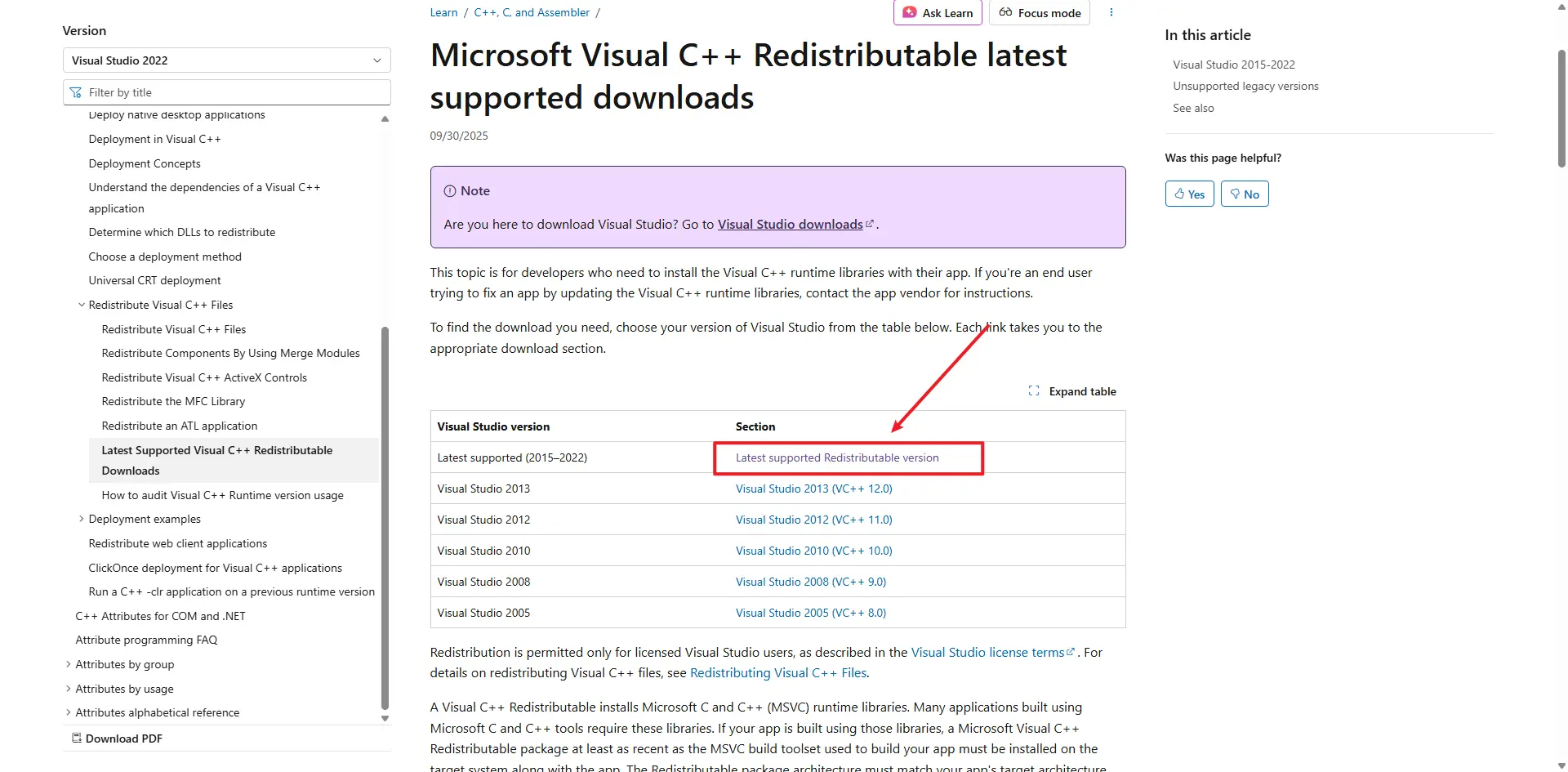
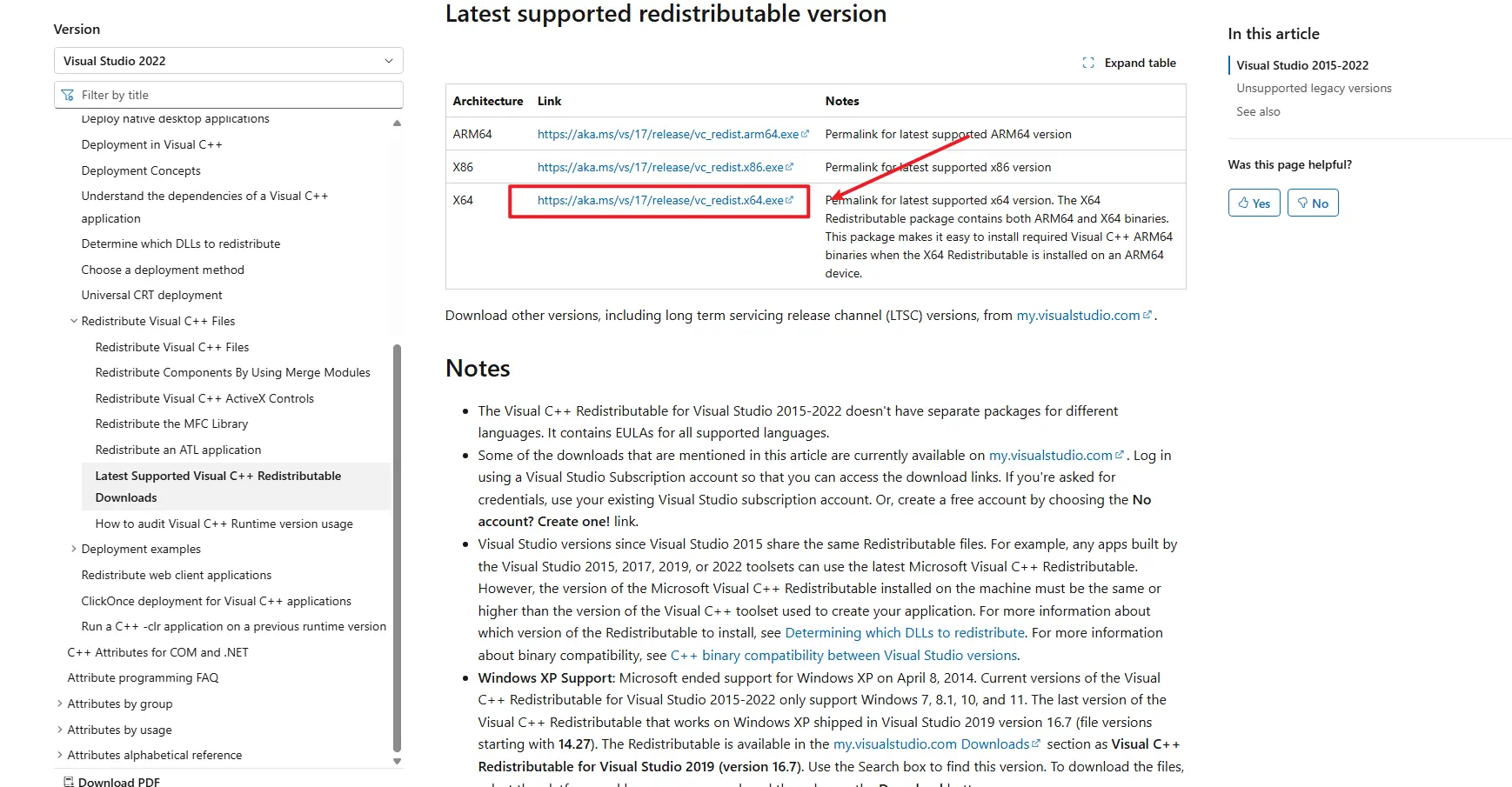
- 출력이 없으면 Microsoft Visual C++ Redistributable을 다운로드하여 설치하세요: Latest Microsoft Visual C++ Redistributable Version
단계 3: 시스템 시간 확인
컴퓨터 시계가 부정확하면 "Agent Start Timeout" 오류가 발생할 수 있습니다:
- 화면 오른쪽 아래의 시간 표시를 마우스 오른쪽 버튼으로 클릭하세요.
- "날짜/시간 조정"을 선택하세요.
- "자동으로 시간 설정"이 활성화되지 않았으면 켜세요.
- 시간이 여전히 잘못되면 "지금 동기화"를 클릭하거나 날짜와 시간을 수동으로 설정하세요.
- 시간을 조정한 후 TikMatrix를 다시 시작하세요.
단계 4: 응용 프로그램 로그 확인
설정-응용 프로그램 폴더 열기버튼을 클릭하세요.logs폴더로 이동하세요.- 최신 로그 파일에서 오류 정보를 확인하세요.
문제가 계속 발생하는 경우
단계 5: macOS — Agent InvalidStateError
일부 macOS 컴퓨터에서는 Agent가 시작되지 않고 다음 오류가 나타날 수 있습니다:
Agent start error InvalidStateError: The object is in an invalid state.
가능한 원인:
- 일반적으로 응용 프로그램과 현재 macOS 시스템 버전 또는 오래된 하드웨어/펌웨어 간의 호환성 문제로 인해 발생합니다.
해결 방법 / 작업 방안:
- 「시스템 설정」>「일반」>「소프트웨어 업데이트」를 통해 macOS를 최신 버전으로 업데이트하세요. 업데이트 후 Mac을 다시 시작하고 TikMatrix를 다시 시작하세요.
- 업그레이드할 수 없거나 오류가 계속 발생하면 더 최신 macOS가 실행되는 다른 Mac에서 응용 프로그램을 실행해 보세요.
위 방법을 시도한 후에도 문제가 지속되면 응용 프로그램 로그를 수집하여 Telegram을 통해 저희에게 연락하고 macOS 버전과 로그 파일을 첨부하세요.
우리의 지원 팀에 문의하세요 Telegram, 다음 정보를 제공하세요:
- Windows 버전
- 응용 프로그램 로그 파일
- 이미 시도한 단계들
Step 6: Linux AppImage - white screen or EGL_BAD_PARAMETER
On Linux, AppImage builds may show a white window on Wayland sessions, especially on NVIDIA systems, and the logs may contain:
Could not create default EGL display: EGL_BAD_PARAMETER
If that happens, start the AppImage once with:
WEBKIT_DISABLE_COMPOSITING_MODE=1 \
WEBKIT_DISABLE_DMABUF_RENDERER=1 \
./TikMatrix.AppImage
Recent builds enable the same WebKit workaround automatically when the app detects an AppImage running on Wayland, so the manual command should only be needed for older packages. If you prefer a native Linux package, the Linux build also includes a .deb artifact.